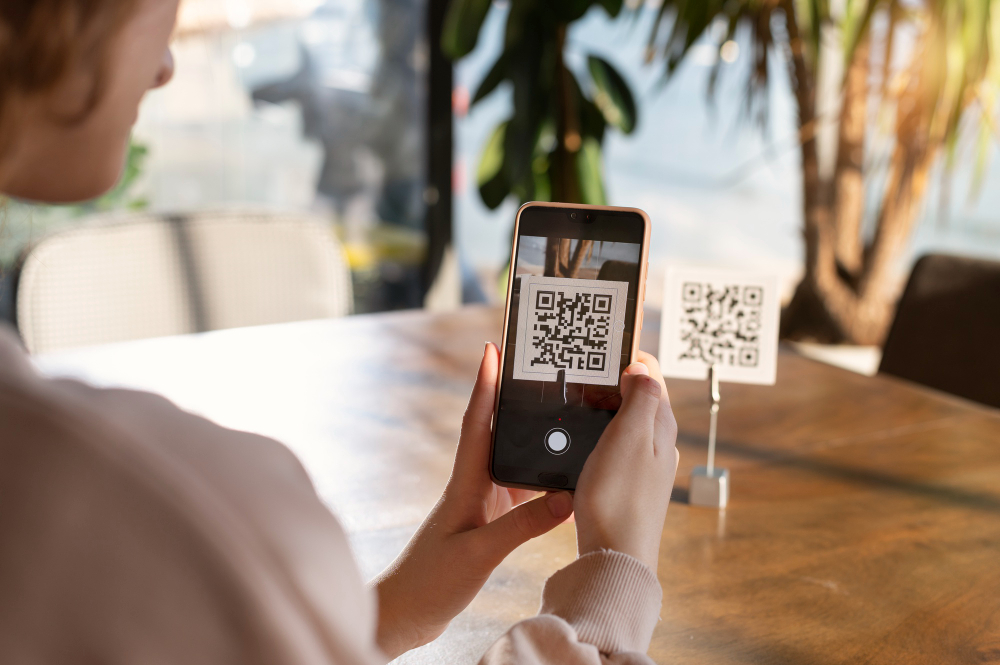
How to Create a QR Code Menu for a Restaurant | Complete Guide for 2026
Learn how to create a QR code menu for a restaurant with the right design, mobile UX, and no-code tools. A complete guide to building a modern digital menu that improves customer experience.
How to Create a QR Code Menu for a Restaurant
The restaurant industry has changed fast. Guests expect speed, convenience, mobile-friendly experiences, and cleaner touchpoints. That is exactly why the menu qr code has become a standard for modern food businesses.
But creating a QR menu is not just about generating a code and linking it to a PDF. A great restaurant digital menu should be easy to update, beautiful on mobile, fast to load, and designed to support the dining experience. It should help customers browse with ease, discover dishes faster, and interact with your brand in a more modern way.
In this guide, you will learn how to create a qr code menu restaurant the right way: from structure and design to mobile UX, no-code tools, and performance. Whether you run a café, a fine dining venue, a fast casual concept, or manage menus for clients, this article will show you how to build a digital experience that feels premium and practical at the same time.
Why Restaurants Are Moving to QR Code Menus
A traditional printed menu still has value in some contexts, but it also comes with limitations. Updating prices takes time. Seasonal dishes are harder to manage. Design changes often require reprinting. And many static PDF menus offer a poor mobile experience.
A well-built menu digital restaurant solves these issues.
Here is why so many restaurants are making the switch:
Instant updates without reprinting menus
Better mobile usability for guests
Cleaner and more contactless service
More flexibility for promotions, seasonal items, and limited editions
Stronger branding through better visuals and layout
Higher efficiency for teams managing multiple menu versions
A modern contactless menu restaurant is no longer just a trend. It is now part of the wider shift toward better restaurant digital tools and smarter restaurant tech.
What a Great QR Code Menu Should Actually Include
Many restaurants make the same mistake: they think a QR code menu is only a link. In reality, the QR code is only the access point. What matters most is the experience behind it.
A successful restaurant menu platform should include five essential elements.
1. Mobile-first layout
Your menu must work perfectly on smartphones. Most customers scan and browse on a small screen, so the structure should be clean, scroll-friendly, and readable without zooming.
2. Clear categories
Starters, mains, desserts, drinks, specials, and seasonal offers should be instantly visible. A strong menu restaurant UX helps customers decide faster.
3. Strong visual hierarchy
Dish names, prices, descriptions, dietary labels, and featured items must be easy to scan. Good restaurant menu design reduces friction.
4. Fast editing
Restaurants need to update availability, prices, and items regularly. A good menu digital no code solution allows quick edits without calling a developer.
5. Brand consistency
Your menu should reflect the restaurant’s identity. Colors, typography, imagery, and tone matter. A premium menu digital design builds trust and elevates perception.
In other words, the best menu qr restaurant is not only functional. It is also strategic.
Step 1: Define the Structure of Your Digital Menu
Before using any restaurant menu builder or restaurant menu creator, start with structure.
Ask yourself:
What categories should appear first?
Which dishes are bestsellers?
Which items deserve visual emphasis?
What information do guests need to decide confidently?
Do you need different menus for lunch, dinner, drinks, brunch, or delivery?
A strong structure is the foundation of any effective menu restaurant online.
Best practice for menu structure
A typical menu interactif restaurant may include:
Hero or welcome section
Food categories
Signature dishes
Drinks and pairings
Allergens or dietary indicators
Specials or limited-time offers
Reviews or customer favorites
Contact or reservation links
This kind of structure helps transform a basic list of items into a more complete restaurant experience digital.
Step 2: Choose a No-Code Digital Menu Platform
This is where many restaurants save time or waste it.
You can technically build a QR menu with a PDF, a Google Drive link, or a basic website page. But these options often create weak experiences. PDFs are rarely optimized for mobile. Generic pages can look inconsistent. Editing becomes messy over time.
A dedicated plateforme menu digital is the smarter option.
The right restaurant menu software should help you:
Build visually without coding
Organize sections easily
Edit text and prices in minutes
Preview the menu on mobile
Publish instantly
Generate a QR code connected to the live menu
Maintain strong design quality
This is exactly where a no-code solution like PixPlat fits. As a visual, premium, mobile-first menu digital plateforme, PixPlat helps restaurants create a polished menu digital moderne without the complexity of custom development. It is designed for hospitality brands that want more than a static PDF and for creatives who want a scalable restaurant menu platform they can use across clients.
Step 3: Design for Mobile, Not for Desktop
A QR menu lives on the phone. That means your priority should not be how it looks on a laptop. It should be how it feels in a guest’s hand, at a table, in real conditions.
This is the heart of great menu restaurant mobile design.
What mobile-first design means for restaurants
A good menu mobile restaurant experience includes:
Large readable text
Comfortable spacing
Clear dish grouping
Fast-loading visuals
Sticky or visible navigation
Tap-friendly buttons
Short, useful descriptions
Strong contrast for readability
The goal is simple: make browsing frictionless.
Common mobile UX mistakes
Many restaurants accidentally damage the experience with:
Tiny text
Long blocks of description
Poor category organization
Overuse of images
Slow loading speed
PDF menus that require zooming
Unclear pricing
Inconsistent formatting
If your restaurant menu mobile experience is hard to use, customers may scan the QR code and give up. That affects not only convenience, but also perception of your brand.
Step 4: Build a Menu That Sells, Not Just a Menu That Displays
A digital menu should do more than show items. It should guide attention and influence choices.
This is where design meets conversion.
A strong menu interactif can help restaurants increase order value by making the right items more visible and easier to understand.
Ways to make your QR menu more effective
Use your restaurant menu design intentionally:
Highlight signature dishes
Add short, appetizing descriptions
Feature high-margin items
Use visual badges like “chef’s pick” or “most loved”
Organize dishes by decision logic, not only by kitchen logic
Reduce clutter around less important items
For example, if your restaurant has a profitable sharing plate or premium drink pairing, a smart menu restaurant interactif can give that item more visibility than a printed menu ever could.
This is one of the biggest advantages of a modern restaurant digital menu.
Step 5: Generate and Place the QR Code Properly
Once your menu is live, the QR code becomes the entry point. But placement matters more than most restaurants think.
Your qr code menu restaurant should be:
Easy to scan
Visible from seated position
Printed with enough contrast
Tested in low light
Placed on table tents, inserts, windows, counters, and takeaway packaging if relevant
QR code placement ideas
A menu qr code can be placed on:
Dining tables
Outdoor terrace tables
Counter displays
Takeout bags
Packaging stickers
Window signage
Flyers or promotional cards
Make sure the code leads directly to the menu, not to a homepage where users must search again. Less friction always means a better restaurant experience digital.
Step 6: Keep the Menu Easy to Update
One of the main reasons to switch to a menu digital restaurant is agility.
Restaurants change constantly:
prices move
ingredients run out
specials rotate
seasonal dishes appear
promotions need fast updates
A static file creates unnecessary delays. A smart éditeur menu restaurant or restaurant menu creator makes these updates simple.
This is where the no-code model becomes powerful. A good menu digital no code workflow gives restaurant teams control without relying on technical help. That is especially useful for multi-location brands, agencies, and freelancers managing several client menus.
Fast updates are not just operationally convenient. They also protect the guest experience. Nothing creates frustration faster than a menu showing items that are not available.
Step 7: Create a Premium Visual Identity
In hospitality, design is not decoration. It is part of the experience.
A refined menu digital design communicates quality before the first bite arrives. Customers associate visual clarity and elegance with professionalism, care, and trust.
A high-end menu restaurant moderne should reflect the venue’s personality:
minimalist and clean for premium cafés
warm and artisanal for local concepts
bold and dynamic for street food brands
elegant and immersive for fine dining
Elements that shape strong menu identity
A polished menu digital moderne usually includes:
Consistent typography
Refined spacing
High-quality imagery
Controlled color palette
Clear category rhythm
Elegant icons or badges
Mobile-friendly layout choices
This is why modern restaurants increasingly choose a visual restaurant menu builder rather than a generic document tool. The menu has become a branded digital touchpoint.
Step 8: Add Interactive Elements That Improve the Experience
A strong menu interactif restaurant can go beyond text and pricing.
Depending on your concept, interactive features may include:
Featured dish labels
Category navigation
Visual section cards
Customer favorites
Reviews or social proof
Availability updates
Likes or engagement signals
Language switching
Dynamic specials
These features improve the restaurant experience digital because they make the menu feel alive, useful, and easier to explore.
PixPlat’s product vision strongly aligns with this modern approach: combining no-code editing, QR access, premium templates, analytics, and AI support to turn the menu into a more interactive restaurant asset rather than a static file.
Step 9: Think Beyond the Menu: Use Data and Insights
The most valuable restaurant digital tools do not stop at publishing. They help restaurants learn.
When a restaurant menu platform includes insights, teams can better understand:
which dishes attract attention
what customers like
which items perform best
where menu structure may need improvement
how updates affect engagement
This is one of the biggest differences between a classic menu and a modern digital menu platform. The second one can become a source of operational intelligence.
In the long term, that means better pricing decisions, smarter item placement, more effective promotions, and a stronger guest journey.
Step 10: Optimize for SEO and Online Visibility
A menu restaurant online is also part of your restaurant’s digital presence.
When your menu exists on a dedicated, well-structured page rather than an unsearchable file, it can support discoverability and brand consistency.
A strong restaurant digital menu can help by:
reinforcing branded search visibility
supporting local search presence
improving consistency across digital channels
giving customers a shareable link
connecting better with your website and social profiles
This matters because today’s customer journey often starts before the table. Guests search, compare, browse, and decide online first. A modern restaurant menu platform supports that behavior.
What to Avoid When Creating a QR Code Menu
Even a good idea can fail with poor execution. Here are the most common mistakes restaurants should avoid.
Linking to a PDF only
A PDF is easy to create, but rarely ideal for mobile. It weakens the menu restaurant UX and often feels outdated.
Overloading the menu
Too many categories, too much text, or too many visuals can make browsing harder. Simplicity improves usability.
Ignoring brand design
A weak-looking menu hurts perception. Strong menu restaurant design supports credibility.
Forgetting mobile testing
Always test the live experience on real phones, not only desktop preview.
Making updates difficult
If changing one dish requires too much effort, the system is wrong.
Using generic tools
General-purpose tools can work temporarily, but they rarely deliver the same value as a dedicated restaurant menu software solution.
Who Should Use a QR Code Menu
The answer is broader than many people think.
A menu qr code is useful for:
Fine dining restaurants
Cafés and coffee shops
Fast casual concepts
Food trucks
Multi-location brands
Hotel restaurants
Bakeries
Bars and lounges
Freelancers creating menu systems for clients
Agencies offering restaurant design services
Because the model is scalable, a quality plateforme menu digital works both for independent operators and for professionals managing menus at scale.
Why No-Code Is the Best Approach for Restaurants
Restaurants do not need more technical complexity. They need speed, flexibility, and good design.
That is why menu digital no code tools are becoming essential.
With a no-code restaurant menu builder, teams can:
update menus instantly
maintain design consistency
adapt to seasonality
launch faster
work without developers
stay more autonomous
For modern restaurant teams, this is not just convenient. It is a competitive advantage.
And for agencies or freelancers, a no-code restaurant menu creator becomes a service engine: easier delivery, better results, and more scalability.
Final Checklist: How to Create a QR Code Menu the Right Way
Before publishing your qr code menu restaurant, make sure you have all the essentials in place.
Your QR menu checklist
A mobile-first layout
Clear categories and navigation
Strong visual hierarchy
Fast loading experience
Easy editing workflow
Brand-consistent design
Live QR code linked directly to the menu
Menu tested on different phones
Seasonal and promotional flexibility
A platform built for restaurants, not generic documents
If those elements are in place, your restaurant digital menu becomes more than a convenience tool. It becomes a real part of the guest experience.
Conclusion
Creating a menu qr code for a restaurant is not complicated, but doing it well requires the right approach. The best results come from combining smart structure, elegant menu digital design, mobile-first UX, and a no-code workflow that makes updates effortless.
A modern menu digital restaurant should be easy to browse, easy to manage, and aligned with your brand image. It should improve the customer journey, support operational flexibility, and help your restaurant feel more current, polished, and responsive.
That is why more hospitality brands are moving away from static files and adopting a true digital menu platform built for mobile, design, and speed.
If you want to create a premium menu qr restaurant experience without technical complexity, discover how PixPlat helps restaurants build elegant, interactive, and easy-to-manage menus with a no-code approach.