Restaurant Menu Management: Update Your Menu in Real Time
How real-time digital menu management eliminates 86'd confusion, reprinting costs, and multi-location inconsistency — with the data behind why it matters.
Restaurant Menu Management: How to Update Your Menu in Real Time
"86 the salmon." Every kitchen has said it. The dish ran out, the chef called it, and now the entire floor staff has to remember not to offer it — table after table, for the rest of service — until someone gets around to fixing it on the menu itself.
"86" is restaurant slang for an item that's no longer available — whether from stock depletion, a quality issue, or a supply chain problem. It's one of the oldest pieces of language in the industry, and it exists because the gap between "we ran out" and "the menu reflects that we ran out" has always been a real operational problem. With a paper menu, that gap is permanent until the next print run. With a printed PDF menu, it's nearly as bad. With a properly managed digital menu, that gap closes in the time it takes to tap a button.
This guide covers what real-time menu management actually means in practice, the operational failures it eliminates, and how to run it well — whether you have one location or twelve.
Why "86'd" exists, and why it shouldn't have to
The term itself tells you something important about the problem. 86'd refers to menu items, ingredients, or drinks that are no longer available to serve guests, either temporarily due to stock depletion or permanently due to quality issues. Kitchen staff call out 86'd items the moment they recognize a shortage, and front-of-house staff then inform guests about unavailable items before they order — preventing disappointment and kitchen confusion. No3 Social
The entire system of shouting "86" across a kitchen, writing it on a whiteboard, and hoping every server remembers before they reach table 14 exists because restaurants needed a fast verbal workaround for a structural problem: the menu — the actual document guests see — could not be updated in the moment the information changed.
If the kitchen knows you're almost out of a dish but forgets to inform the front, the next five tables ordering it are in for a surprise. That kind of disconnect slows down service and increases tension. This is not a hypothetical inefficiency — it's a daily friction point in any restaurant running a menu that can't update itself.
A digital menu with real-time management removes the need for the workaround entirely. Modern POS systems include dedicated 86 functions that instantly update digital menus across all ordering platforms. When a manager marks an item as 86'd in the system, it disappears from server tablets, online ordering apps, and kitchen display screens — preventing orders from reaching the kitchen for items that can't be fulfilled.
The guest never has to be told an item is unavailable after they've already gotten excited about it. The item simply isn't there to choose from.
What real-time menu management actually means
Real-time menu management is the ability to change any element of your menu — price, availability, description, photo, category — and have that change reflected on every guest-facing touchpoint within seconds, with no reprinting, no republishing step, and no lag between decision and effect.
This breaks down into four operational capabilities:
Instant availability toggling. A dish sells out at 7:40pm on a Friday. You remove it from the menu in your dashboard. By 7:41pm, no guest scanning the QR code at any table sees that dish as an option. The 86 happens once, in one place, and propagates everywhere automatically.
Live pricing updates. A supplier raises the cost of your fish by 15% on a Tuesday morning delivery. You adjust the price before lunch service. There is no gap between the cost change and the price reflecting it — no week of selling at a loss while you wait for a reprint.
Scheduled and time-based menus. Breakfast items appear from 7am to 11am and disappear automatically. Happy hour pricing activates at 4pm and reverts at 7pm without anyone touching a dashboard during service.
Centralised multi-location control. A single dashboard update applies the new seasonal special to every location simultaneously, or to one specific location if that's what the change requires.
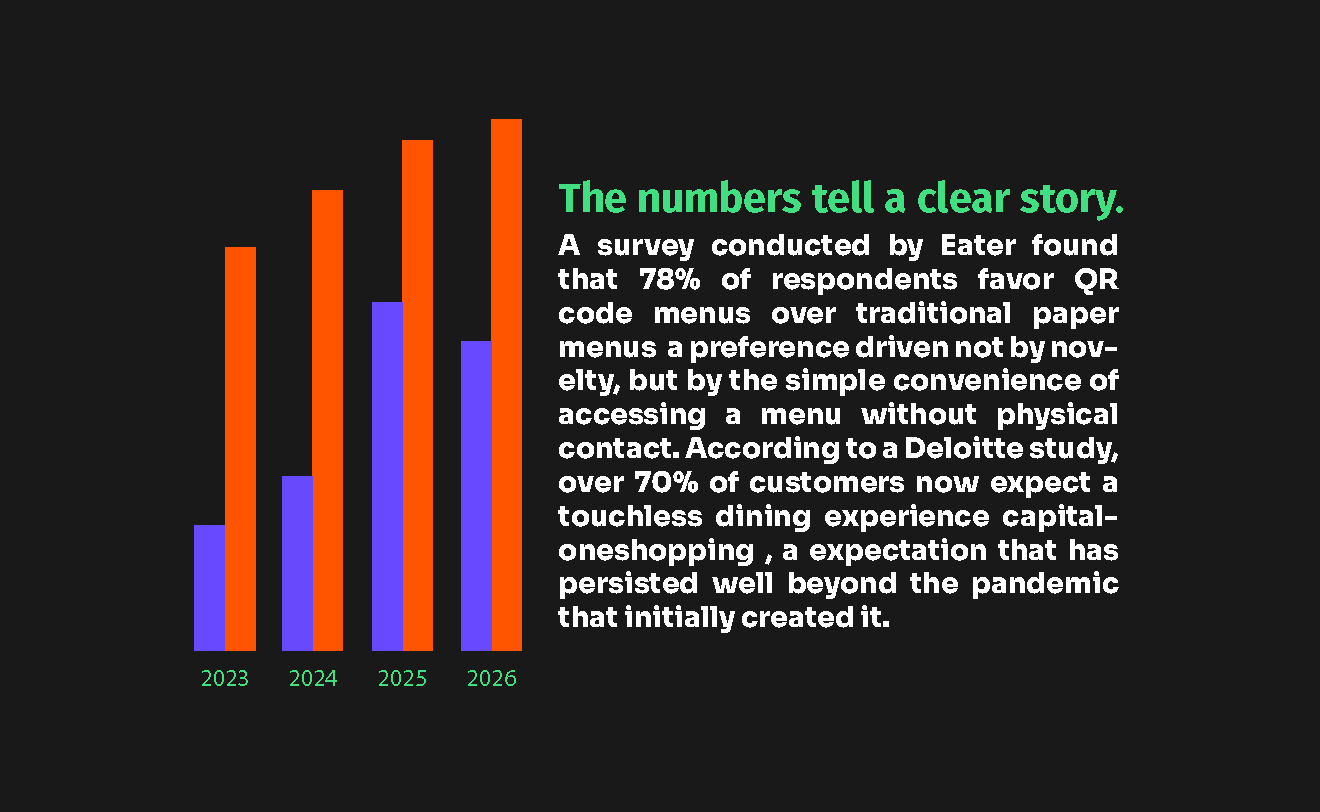
In 2025, 87% of successful restaurants use cloud-based menu management, reporting 67% improvement in operational efficiency and 45% reduction in menu management costs. These are not marginal gains — they reflect the structural difference between a menu that requires manual coordination to stay accurate and one that doesn't. Evergreen
The four real-time scenarios every restaurant deals with weekly
1. The out-of-stock dish
This is the scenario the term "86" was built for. Limited-time specials get 86'd most frequently because restaurants struggle to predict demand for unfamiliar menu items — a popular special can deplete inventory in hours instead of days, forcing an early 86. Fresh ingredients with unpredictable supply chains, particularly seafood and seasonal produce, regularly face availability issues.
With a real-time digital menu, removing the dish takes one action: toggle it unavailable in your dashboard. It disappears from every table's menu instantly. No server has to remember to mention it. No guest orders it and waits ten minutes to be told it's gone. As soon as stock depletes or a dish hits its threshold, the system can auto-flag it — syncing across every guest-facing touchpoint. No awkward moments. No blaming the kitchen.
2. The price change
Ingredient costs move constantly, and the businesses that can adjust pricing in step with cost changes protect their margin; the ones that can't absorb the difference until the next print run. Menu optimisation gives operators the flexibility to swap ingredients, rotate seasonal specials, and adjust pricing in real time without disrupting the flow of operations. Using cloud-based systems, operators can monitor cost of goods sold, adjust recipe components, and push updates instantly across all menus, both in-store and online.
On a paper menu, a price change waits for the next print run — often weeks, sometimes a full season. On a digital menu, the adjustment is live the moment you save it, and every guest sees accurate pricing from that point forward.
3. The seasonal rotation
Refreshing your menu quarterly not only boosts sales but also improves operational efficiency by managing restaurant inventory more effectively. A seasonal menu change that would traditionally require a full reprint — new card stock, new design proofing, new delivery lead time — becomes a content update you make in an afternoon. The autumn menu goes live the morning you decide it should, not the morning the print shop delivers it.
4. The multi-location rollout
For restaurant groups, the real-time advantage compounds. Restaurant chains using advanced multi-location digital menu systems report 89% improvement in operational efficiency and 67% reduction in menu management costs. A new promotion, a corrected allergen label, or a brand-wide price adjustment deploys to every location from a single dashboard action — rather than requiring each location manager to individually update, print, and redistribute their own menu.
By centralising item details, pricing, modifiers, and nutritional information, restaurant teams ensure every location is working from the same accurate information — reducing errors, improving speed, and supporting a more consistent guest experience across the entire brand.
The cost of not managing your menu in real time
It's worth being concrete about what the alternative actually costs — not in the abstract, but in identifiable operational waste.
Failure mode | What it costs | Real-time fix |
|---|---|---|
Guest orders an 86'd dish | 8–12 minutes of delay, a comped item or substitution, a frustrated table | Item disappears from the menu the moment it's marked unavailable |
Price still shows old cost after a supplier increase | Margin erosion on every order until the next reprint | Price updates live, same day as the cost change |
Seasonal menu still showing 3 months later | Guest perception of staleness; missed promotional opportunity | Seasonal section updates in minutes, not weeks |
One location running an outdated promotion | Brand inconsistency; guest confusion across locations | Single dashboard push updates every location simultaneously |
Staff manually telling every table about changes | Server time spent on information delivery instead of hospitality | Menu is self-explanatory and always current |
Suggested chart type: cost-comparison bar chart showing cumulative monthly cost of manual menu management vs real-time digital management
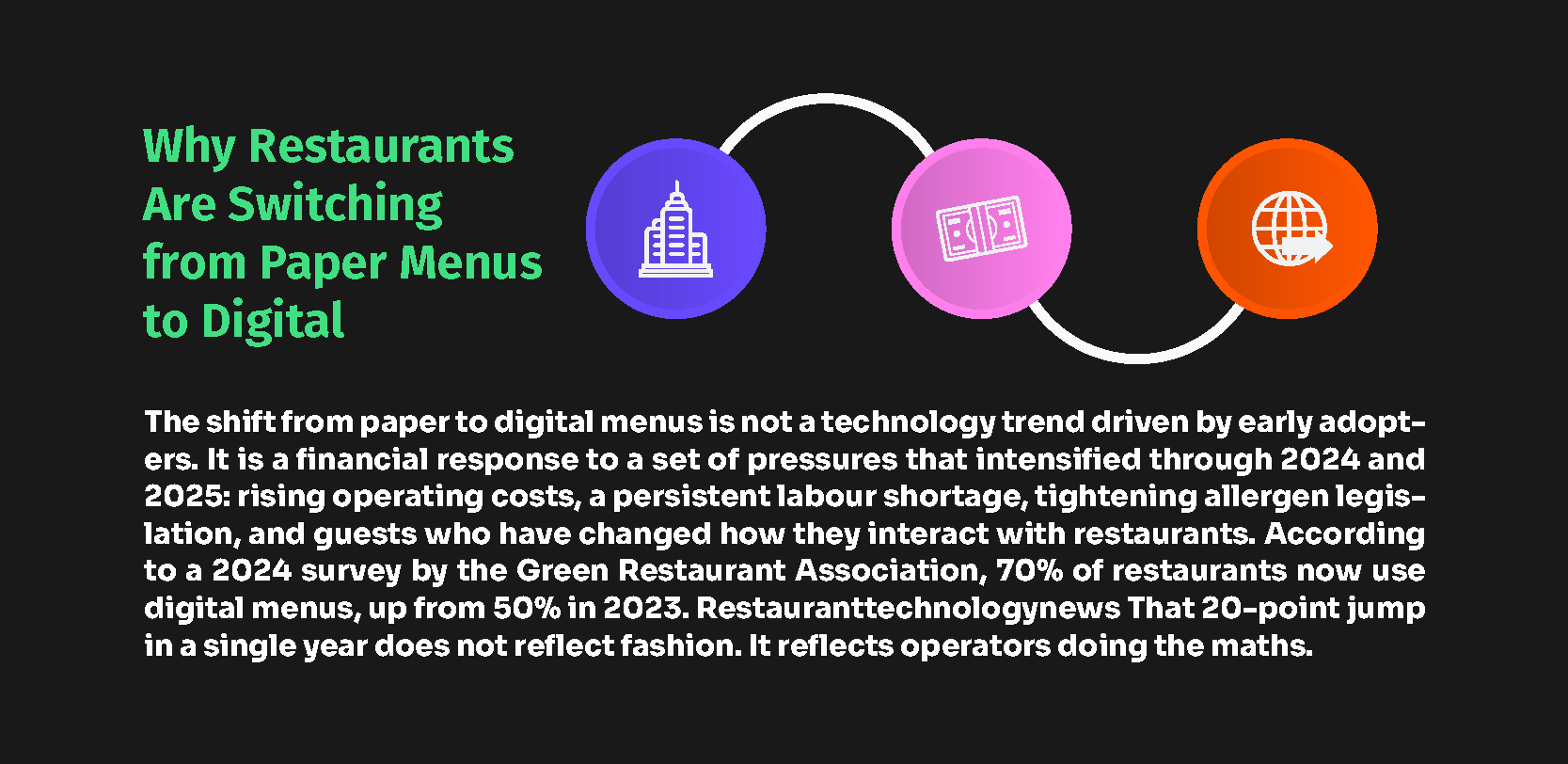
Restaurants using integrated, centralised systems report a 30% reduction in administrative task time — saving a typical operation roughly 12 hours every week. That's not time saved on menu management alone, but menu management is consistently one of the highest-frequency administrative tasks in a restaurant's week, and it's also one of the easiest to fully automate.
How to set up real-time menu management on PixPlat
The technical setup is straightforward once your menu is published. The discipline is in using it consistently.
Step 1 — Set availability toggles for every item, not just the obvious ones. Every dish should have an on/off state you can flip from your phone, not just a select few "specials." When a delivery is late or an ingredient runs short, you want the option to 86 anything in seconds — not just the items you anticipated might sell out.
Step 2 — Use scheduled visibility for time-based items. Breakfast items, happy hour pricing, and lunch-only specials should be configured to appear and disappear automatically by time of day. This removes a manual task from your opening and closing checklists entirely.
Step 3 — Designate who has update access, and on what. For a single location, this is usually the owner or manager. For multi-location groups, decide what's centrally controlled (core menu, pricing structure, brand standards) versus what individual locations can adjust (local specials, regional availability). It's of the utmost importance to maintain a consistent brand identity while simultaneously adapting to local customer preferences — a core menu that aligns with the brand's identity, consistently offered across all locations, paired with flexibility for local specials.
Step 4 — Build a 30-second habit around service. The single highest-value habit: whenever a dish runs out during service, toggle it off immediately, from your phone, at the moment it happens. Don't wait until after close. The value of real-time management only exists if updates happen in real time.
Step 5 — Review weekly, not just reactively. Beyond the moment-to-moment toggles, set a weekly fifteen-minute review: check which items have been 86'd repeatedly (a signal to adjust par levels or remove the item), confirm seasonal sections still feel current, and verify pricing matches your current cost structure.
→ For how to read the data behind which items are underperforming or overperforming, see Restaurant menu analytics: understanding your customers
Managing menus across multiple restaurant locations
If you operate more than one location, real-time menu management becomes less of a convenience and more of a structural requirement for brand consistency.
Without centralized purchasing and standardized recipes, different locations might end up paying different prices for the same ingredients or using varying portions, making it nearly impossible to maintain a predictable cost structure. Consistency is the bedrock of a successful multi-unit brand — when customers visit any location, they're looking for a predictable experience. Gocreateqr
The practical model that works for most growing restaurant groups: a core menu that every location shares — your signature dishes, your brand standards, your non-negotiable pricing structure — managed centrally from one dashboard. Layered on top, location-specific flexibility for genuinely local needs: a regional specialty, a location near an office district that wants a faster lunch menu, or pricing adjustments that reflect different local costs.
With an enterprise-grade dashboard, making one change centrally can push updates everywhere in real time. You can centrally manage menus, pricing, promotions, and taxes across all your locations in a single platform, while still empowering local operators to tailor menus and pricing from the same dashboard where genuinely needed. MenuHoster
On PixPlat, this works through a single account managing multiple location menus, with the option to override specific items per location without duplicating the entire menu structure. A price change to your signature dish updates everywhere at once; a region-specific seasonal addition stays contained to the location it applies to.
→ For a deeper guide on this specific use case, see Managing multiple restaurant locations with a single digital menu tool
What real-time management does for the guest experience
The operational benefits are the most immediately visible, but the guest-facing effect matters just as much.
A guest who orders a dish that turns out to be unavailable experiences a small but real disappointment — and a delay while a substitute decision gets made. A guest who never sees the unavailable dish in the first place experiences neither. The menu simply reflects what's true right now, which is exactly what a guest reasonably expects from any digital interface in 2026.
Digital menus allow real-time updates and contactless interactions, speeding up checkout and reducing wait times — both improving consumer expectations and leading to more orders and smoother service.
This compounds over time into a brand impression: a restaurant whose menu always feels current, accurate, and intentional reads as a restaurant that pays attention to detail in everything else, too.
→ For the full digital menu strategy, see The complete guide to digital menus for restaurants
→ For how to build your menu from scratch before managing it, see How to create an online restaurant menu: step-by-step
Frequently asked questions
How fast does a menu update actually appear to guests?
On PixPlat, changes are live within seconds of saving — there is no publishing delay, no caching lag, and no need to regenerate your QR code. A guest who scans the menu thirty seconds after you toggle off a sold-out dish will not see that dish at all. This is the core structural difference from a printed or PDF menu, where any change requires a new physical document before it reaches a single guest.
Do I need a POS integration for real-time menu management to work?
No — real-time management works as a standalone capability through your digital menu dashboard, independent of your point-of-sale system. POS integration adds a further layer of automation (automatically flagging items based on live inventory thresholds), but the core function — manually toggling availability, adjusting pricing, and scheduling time-based items — requires only the digital menu platform itself.
How often should I actually update my menu?
There's a meaningful difference between reactive updates (toggling off a sold-out dish, fixing a price error) and planned updates (seasonal rotations, new dish launches). Reactive updates should happen the moment the triggering event occurs — ideally within the same minute. Planned seasonal refreshes work well on a quarterly cadence, though restaurants running frequent specials or rotating menus may update planned content weekly or even daily.
Is real-time menu management worth it for a single small restaurant, or only for chains?
It matters at every scale, though the specific benefit shifts. For a single restaurant, the primary value is eliminating the friction of 86'd items, reprinting costs, and stale pricing. For multi-location groups, the additional value is brand consistency and centralised control across every site from one dashboard. Neither scale benefits from a menu that can't be updated the moment something changes — the only question is how many locations feel that friction simultaneously.