Digital Menu for Restaurants: The Complete Guide (2026)
Everything you need to know about digital menus for restaurants — QR codes, design, costs, and how to set one up in minutes. The definitive 2026 guide.
The Complete Guide to Digital Menus for Restaurants (2026)
Restaurants that still print their menus are paying twice: once to produce them, and once every time something changes. A dish runs out. A price gets updated. A seasonal special needs adding. Each of those moments costs money, time, and — quietly — a little customer trust.
A digital menu for restaurants solves all three. But more than cutting printing costs, it fundamentally changes how guests experience your restaurant — and how you run it. This guide covers everything: what a digital menu actually is, the real numbers behind adopting one, how to build yours step by step, and what separates a menu that converts from one that just sits on a table.
Whether you run a neighborhood café, a multi-location group, or you're a freelancer building menus for clients, this is the only resource you need.
What is a digital menu for a restaurant?
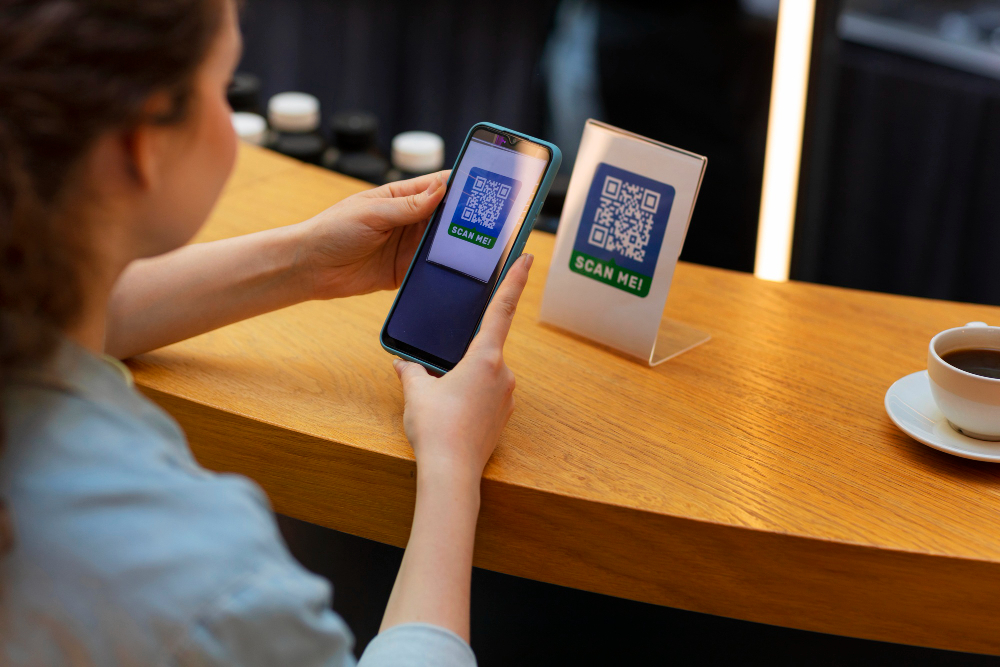
A digital menu is an interactive version of your restaurant's menu that guests access on their own device — most commonly by scanning a QR code at the table. Instead of handing out laminated cards or printed booklets, you give customers a living document they can scroll, filter, and explore at their own pace.
But here's where most explanations stop, and where the real picture starts.
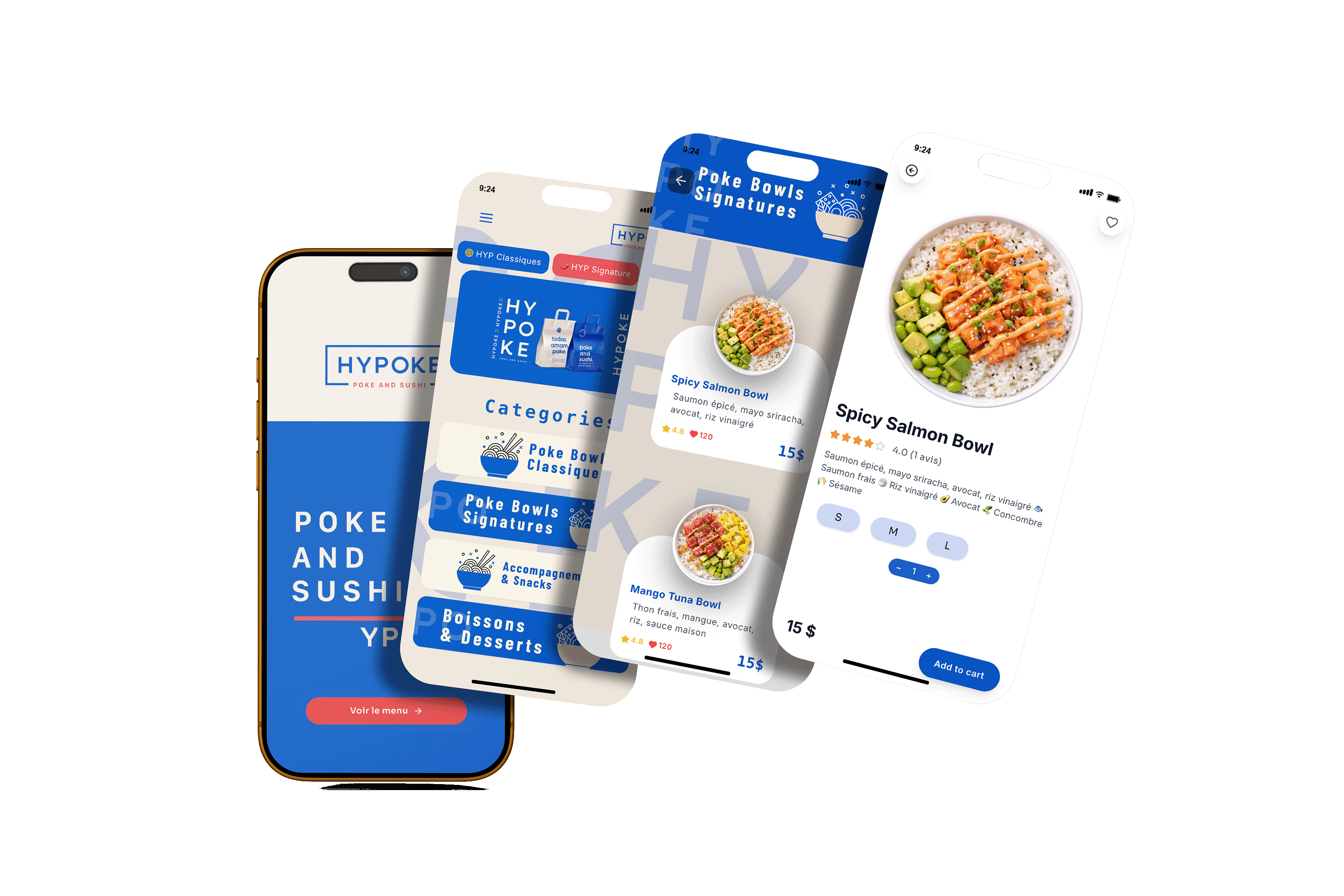
A digital menu is not a PDF uploaded to a link. That's a digitized menu — a static document with none of the advantages that make the technology worth investing in. A true digital menu is:
Updatable in real time, so a dish that sells out at 7pm is gone from the menu at 7pm
Interactive, with dish photos, allergen filters, and descriptions that help guests decide faster
Measurable, giving you data on which dishes get the most views, which sections customers skip, and what drives orders
Branded, matching your visual identity with your colors, typography, and logo — not a generic white page
Think of it as the difference between a printed photograph and a live video feed. Both show you something. Only one reflects what's actually happening right now.
Why restaurants are making the switch in 2026
The numbers tell a clear story.
A survey conducted by Eater found that 78% of respondents favor QR code menus over traditional paper menus capitaloneshopping — a preference driven not by novelty, but by the simple convenience of accessing a menu without physical contact. According to a Deloitte study, over 70% of customers now expect a touchless dining experience capitaloneshopping , a expectation that has persisted well beyond the pandemic that initially created it.
On the operator side, the financial case is even stronger. A 2024 dataset from a large sample of independent restaurants found that average yearly savings after switching to QR menus were about $3,800, with a break-even point of roughly 13 months for restaurants reprinting menus multiple times per month. For restaurants reprinting twice per month, break-even came in 6 to 7 months.
The average restaurant spends between $500 to $2,000 annually on printing menus alone — not counting design fees and the time lost to emergency reprints when prices or dishes change. capitaloneshopping
And the operational gains compound: industry reports from 2024 point to a 30% reduction in ordering errors and 20% shorter waiting times in restaurants that have adopted digital menus with real-time inventory integration.
The market in numbers
Metric | Figure | Source |
|---|---|---|
Restaurants using QR codes globally | ~75% | |
Consumers who have used a QR menu | ~49% | TableQR analysis, 2024 |
Customer preference for QR over paper | 78% | Eater survey |
Customers expecting touchless dining | 70%+ | |
Average annual printing savings (QR adopters) | ~$3,800 | TableQR dataset, 2024 |
Reduction in ordering errors | 30% | 2024 industry reports |
Table turnover increase (QR payments) | +15% | Square study |
Average digital menu subscription cost | ~$150/year | TableQR dataset, 2024 |
The 4 types of digital menus — and which one is right for you
Not all digital menus are the same. Before you start, it's worth understanding the spectrum.
1. The PDF-linked QR code
The simplest and least effective option. You upload a PDF of your existing menu and link it to a QR code. Guests see a static document that may not display well on mobile. You cannot update it without creating a new file. There is no analytics, no interactivity, no upselling logic. Use this only as a temporary solution while you build something better.
2. The mobile-optimized web menu
Your menu lives on a webpage designed specifically for mobile viewing. No app download required — guests scan, the page opens in their browser. This is the format most professional digital menu platforms (including PixPlat) use as their foundation. It combines ease of access with full design control and real-time updating.
3. The interactive ordering menu
A step beyond display: guests can not only browse but also place orders and pay directly from their phone. This format requires integration with your POS system and changes your service model significantly. It works best for fast-casual and high-volume concepts where speed is the priority.
4. The digital menu board
Screen-based menus displayed on monitors behind a counter or mounted on walls. Common in quick-service environments. These are managed through the same platform logic as QR menus but delivered on a fixed screen rather than a personal device.
For the vast majority of sit-down restaurants, cafés, and bars, the mobile-optimized web menu accessed via QR code is the right starting point — and where PixPlat's platform is built to excel.
What a digital menu actually does for your restaurant
Let's go beyond the headline benefits and talk about what changes day-to-day.
It stops the reprint spiral
Every time a supplier price changes, a seasonal dish comes on, or a wine sells out, a paper menu becomes incorrect. Correcting it means reprinting — which costs money and takes days. A digital menu removes this entirely. You update one item in your dashboard and every table in the restaurant reflects the change within seconds.
It makes your menu sell better
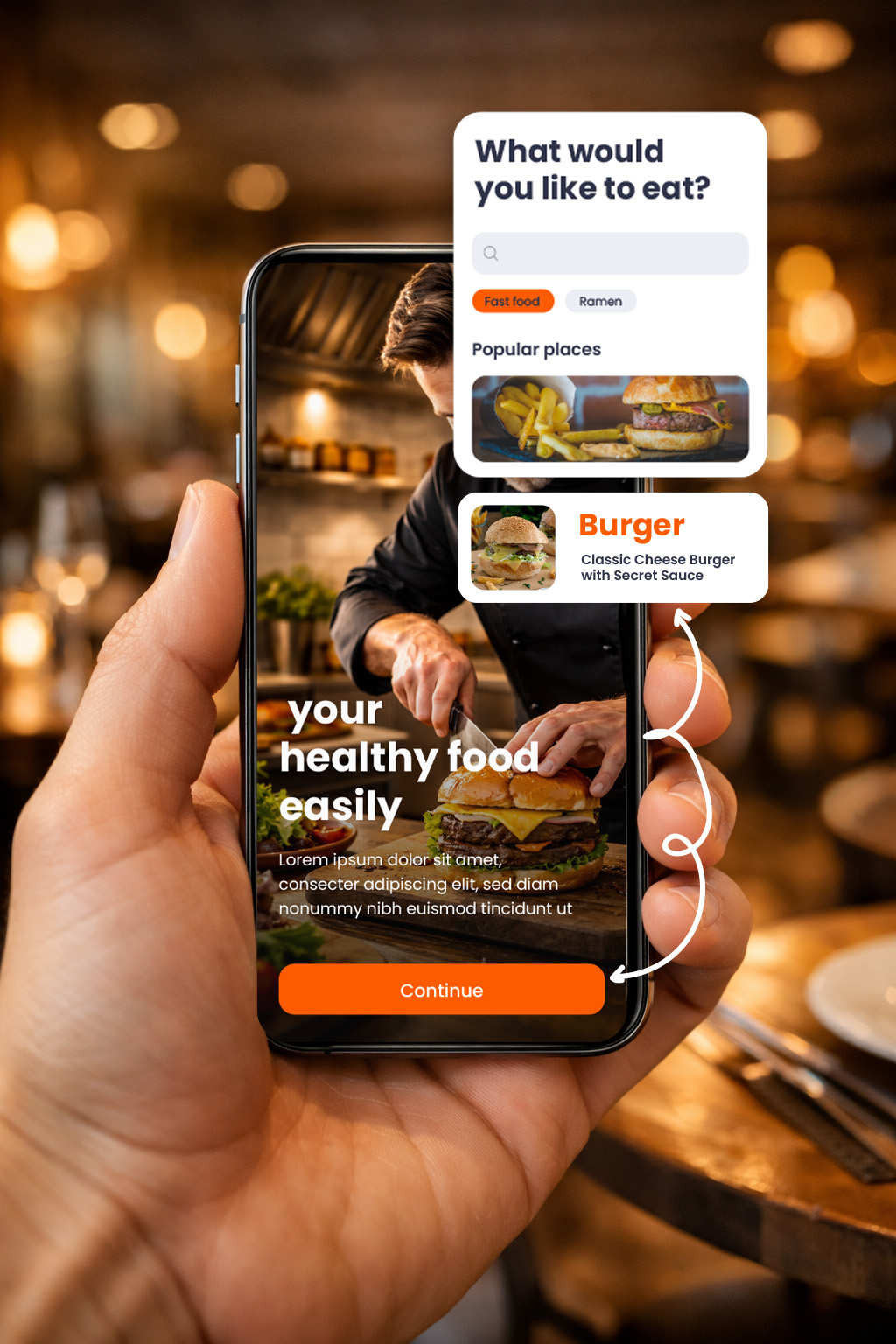
A menu is not just a list of dishes. It is a sales tool. A 2024 study found that menu descriptions accompanied by professional photographs increase sales by 22%. capitaloneshopping Digital menus make it trivially easy to add high-quality images, highlight high-margin dishes, display dietary badges, and surface upsell prompts — all things that are expensive or impossible with a printed card.
It helps staff focus on hospitality
When guests can browse the menu independently and at their own pace, the pressure on floor staff during busy periods drops significantly. Restaurants using real-time digital menus reported that 73% of establishments halved conflicts between the dining room and kitchen, thanks to automatic availability updates. Staff spend less time answering "is this dish still on?" and more time creating the experience guests actually remember.
It gives you data you never had before
Paper menus tell you nothing about what customers look at, how long they spend on a section, or which dishes generate interest but don't convert into orders. A digital menu with analytics tracks all of this. Restaurants can now know which items are viewed the most and can adjust their offerings accordingly — even personalizing the dining experience with promotions or suggestions based on customer preferences.
It makes your restaurant more sustainable
Digital menus significantly cut down on paper usage, making restaurants more eco-friendly and appealing to environmentally-conscious customers. Orders This is increasingly relevant: nearly 60% of consumers consider sustainability an important factor when choosing a restaurant. A digital menu is a small step with a visible signal.
How to create a digital menu for your restaurant: step by step
Here is the practical path, from blank page to live QR code.
Step 1 — Choose a platform that fits your workflow
The platform you choose determines how much time you spend managing your menu long-term. Look for three things: a visual editor that doesn't require technical skills, real-time updating without republishing, and analytics that surface useful insights — not just raw visitor numbers.
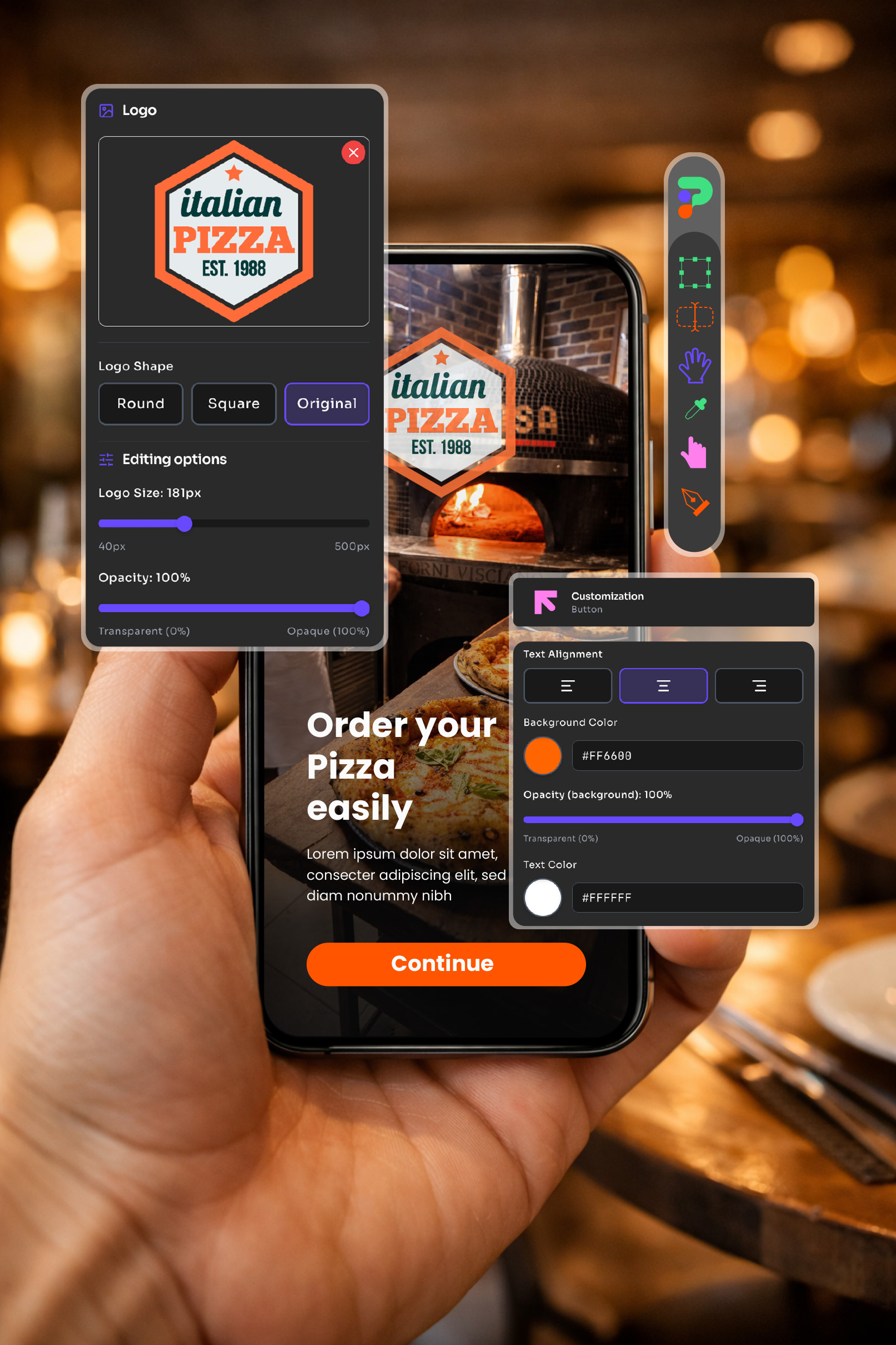
PixPlat's drag-and-drop editor was built specifically for this. You don't write code, you don't touch a template file — you drag elements, drop in your photos, and see the result on a live mobile preview as you go.
Step 2 — Structure your menu before you design it
One of the most common mistakes: importing a paper menu structure directly into a digital format. Paper menus are designed to be read linearly. Digital menus are navigated by filtering and scrolling. Before you start designing, rethink your categories.
Group dishes in a way that matches how customers think, not how your kitchen is organized. "Starters" and "Mains" work on paper. "Perfect to share", "Under 15 minutes", and "Chef's picks this week" work better on a screen.
→ See our detailed guide on how to structure your menu categories to increase sales
Step 3 — Build the visual experience
Upload your dish photos (shoot them on a clean background with natural light — this alone separates good digital menus from mediocre ones). Add descriptions that describe taste and texture, not just ingredients. Set your brand colors and typography so the menu feels like an extension of your restaurant, not a generic template.
→ For design fundamentals, read our guide on fonts and colours that make a restaurant menu look professional
Step 4 — Configure your QR code
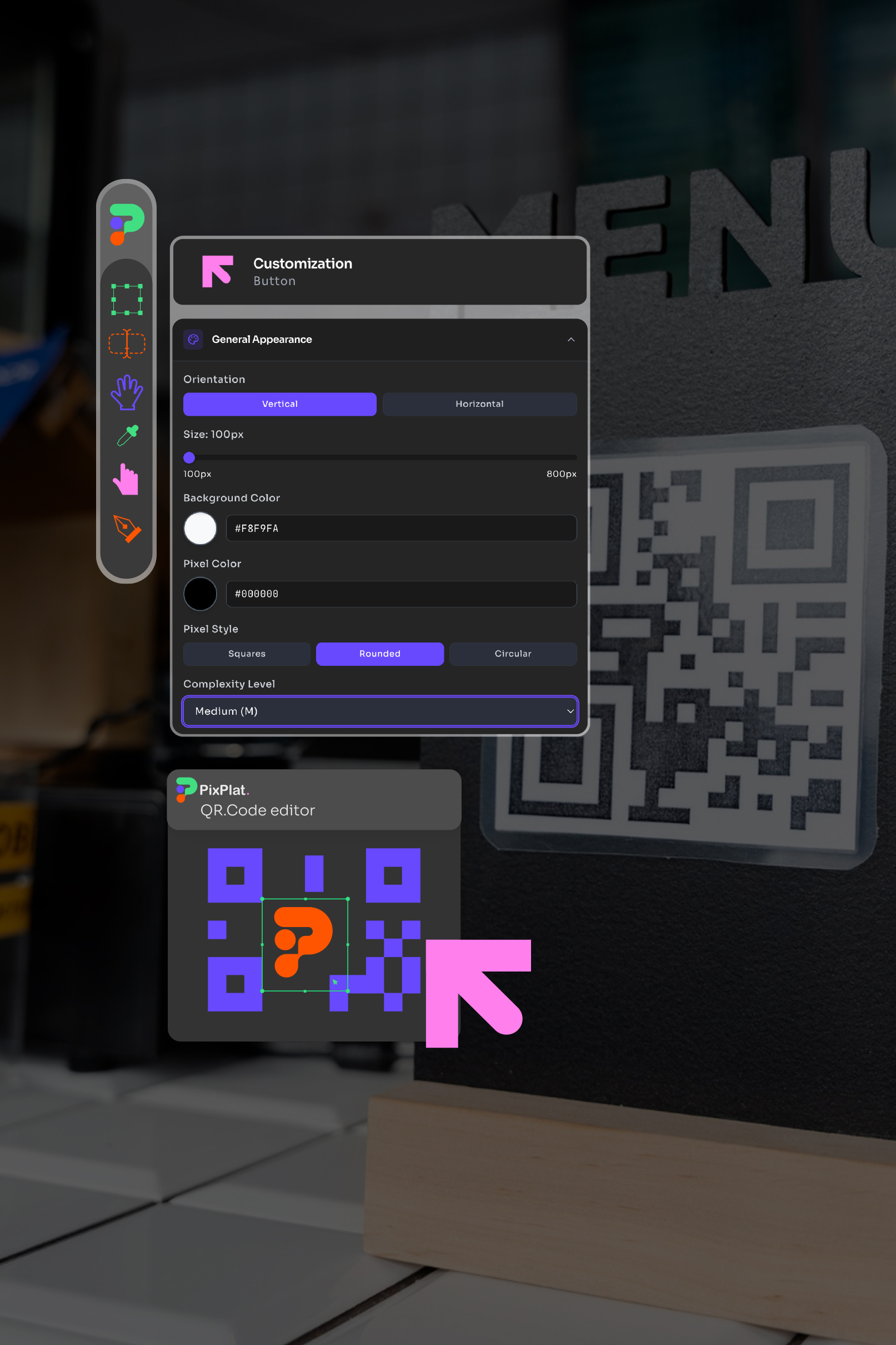
Your platform generates the QR code automatically once your menu is published. At PixPlat, you can customize the QR code itself — add your logo to the center, match it to your brand colors, and choose the size for printing. A branded QR code on your table tent says something about your attention to detail before a guest has even opened the menu.
Step 5 — Publish and place
Print your QR code and place it where guests will see it immediately after sitting. Table tents are the most effective placement — 60% of all QR code scans come from table-mounted codes, because customers are already seated and ready to order. Add a second QR code on your entrance window for guests waiting outside, and a third on takeaway packaging.
Step 6 — Monitor, learn, and iterate
After two to three weeks, check your analytics. Which dishes are viewed most? Which sections have the shortest dwell time? A digital menu is never finished — it's a continuous improvement tool.
→ Learn what to measure in our guide on restaurant menu analytics
The honest objections — and what the data actually says
"My older customers won't use it"
This is the most common concern, and the most easily addressed. As of 2025, over 90% of restaurant customers globally use smartphones, and QR code scanning requires no app download and no account creation. For guests who genuinely prefer a physical menu, keep three or four laminated backup copies. Hybrids work — you don't have to go all-in immediately.
"It will make my restaurant feel less personal"
Digital menus replace paper — not conversation, not hospitality, not the warmth of your staff. In practice, they free your team from transactional tasks (distributing menus, fielding availability questions) and give them more time for the interactions that actually matter. The technology is invisible when done well.
"Setting it up sounds complicated"
Today's QR menu systems are built to be easy. You can upload your menu, change prices, and add images in just a few clicks. The best platforms offer support during onboarding, so you're not left figuring things out alone. PixPlat's editor was designed for restaurant owners, not developers. Most users publish their first working digital menu within a single session.
Digital menu vs. traditional paper menu: a direct comparison
Feature | Paper menu | Digital menu |
|---|---|---|
Update speed | Days (reprint required) | Seconds (live edit) |
Cost per update | $50–$500 per reprint run | $0 |
Annual cost | $500–$2,000+ | ~$150/year (PixPlat Creator plan) |
Dish photography | Limited by print cost | Unlimited high-res images |
Allergen filtering | Static text only | Dynamic, filterable |
Analytics | None | Full engagement data |
Sustainability | High paper consumption | Zero ongoing paper use |
Multilingual support | Expensive (multiple print versions) | Instant (one platform, multiple languages) |
Branded QR code | Not applicable | Custom logo, colors, size |
Who digital menus are for — and who they're not for
Digital menus work for almost every food and beverage concept. They work particularly well for:
Restaurants with frequently changing menus — daily specials, seasonal rotations, and market-price dishes are a natural fit. You update once; every table reflects it immediately.
Cafés and coffee shops — the speed of QR browsing suits the quick-service rhythm of a morning rush. Customers know what they want before they reach the counter.
Bars and cocktail venues — updating a cocktail list seasonally used to mean a full reprint. Now it takes ten minutes.
Food trucks — no counter space for menus, unpredictable ingredient availability, and a young, tech-comfortable audience. The use case is almost perfect.
Multi-location groups and chains — a single platform to manage all menus, maintain brand consistency, and push promotions across every site simultaneously.
The one segment that moves more slowly? High-end fine dining, where the physical menu is often considered part of the experience itself. Even here, the trend is toward hybrid models — a beautifully printed card alongside a digital version for allergen and pairing details.
What makes a digital menu actually work
Creating a digital menu and creating a good digital menu are not the same thing. Here is what separates the two.
Loading speed matters more than you think. In tests on 50 devices, menu templates with load times under 2 seconds recorded 90% completed interactions. Octotable A slow menu gets abandoned. Prioritize platforms that serve optimized, mobile-first pages.
Photos are non-negotiable. Menus without images underperform menus with images consistently and significantly. You don't need a professional photographer — a modern smartphone in natural light with a clean background produces entirely usable results.
Less is more in categorization. Guests navigate digital menus by scanning, not reading. A menu with seven clearly named sections performs better than one with fifteen granular sub-categories.
Your brand should be visible. A generic-looking digital menu tells guests your brand stops at the door. Your menu's fonts, colors, and tone of voice should be consistent with everything else they experience in your restaurant.
How PixPlat fits into this
PixPlat is a digital menu platform built around a single principle: anyone — restaurant owner, freelancer, or agency — should be able to create a professional, branded, interactive menu without writing a line of code.
The editor works like a design tool: drag and drop, live mobile preview, full control over every visual element. The QR code is generated automatically and is fully customizable. The analytics dashboard shows you exactly how guests interact with your menu. And a marketplace of professional designers is available for restaurants that want a fully custom result without doing the work themselves.
→ Start for free and build your first digital menu → Explore templates and see what's possible
The next steps in your digital menu journey
This guide has covered the foundation. The PixPlat blog goes deeper on every aspect of the process:
QR code menu: how it works and how to set it up for your restaurant — the complete guide to the QR delivery channel, placement strategy, and customization
How to create an online restaurant menu: step-by-step — the practical visual guide to building your menu from scratch
Restaurant menu templates: how to pick the right one — how to choose and adapt a template for your concept
Restaurant menu analytics: understanding your customers — what to measure and how to act on what you find
Frequently asked questions about digital menus for restaurants
Do digital menus work without a smartphone? |
|---|
The vast majority of guests have smartphones — global penetration in the restaurant-going population exceeds 90%. For the small minority who don't, keeping two or three laminated backup menus is a practical and courteous solution. You don't have to choose between digital and physical; you can run both. |
How much does a digital menu cost for a restaurant? |
Average digital menu subscription costs run around $12.50 per month — roughly $150 per year per location. PixPlat's Creator plan starts at €12/month and includes full template access, QR code export without watermark, and advanced customization. A free plan is available for testing the platform with no commitment. The return on investment, measured against printing costs alone, is typically positive within the first year. |
Can I update my menu after publishing the QR code? |
Yes — and this is one of the core advantages. Dynamic QR codes allow you to change the underlying menu at any time without generating a new code. The QR code is a permanent link; what it points to is entirely under your control. Update a price, remove a dish, add a special — the change is live across all your tables the moment you save it. |
Will a digital menu work for a fine dining restaurant? |
Yes, though the implementation often differs. Many fine dining restaurants opt for a hybrid model: a printed tasting menu card alongside a digital version that carries the full allergen information, wine pairing suggestions, and ingredient provenance details. The physical card preserves the tactile experience; the digital version adds depth that print can never match. |